Support
How can we help?
Have a question about using ZoneTime? Start here — if you don't see your answer, email us and we'll help.
How do I change what time the timeline shows?
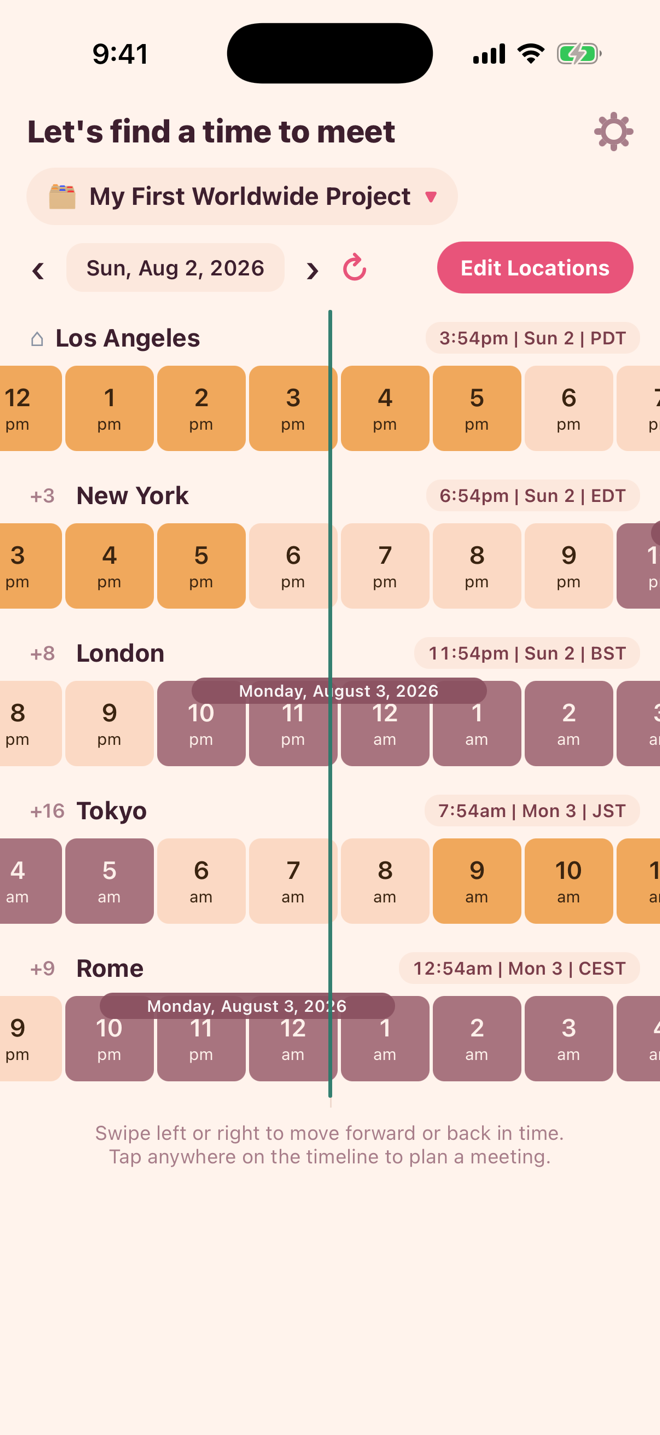
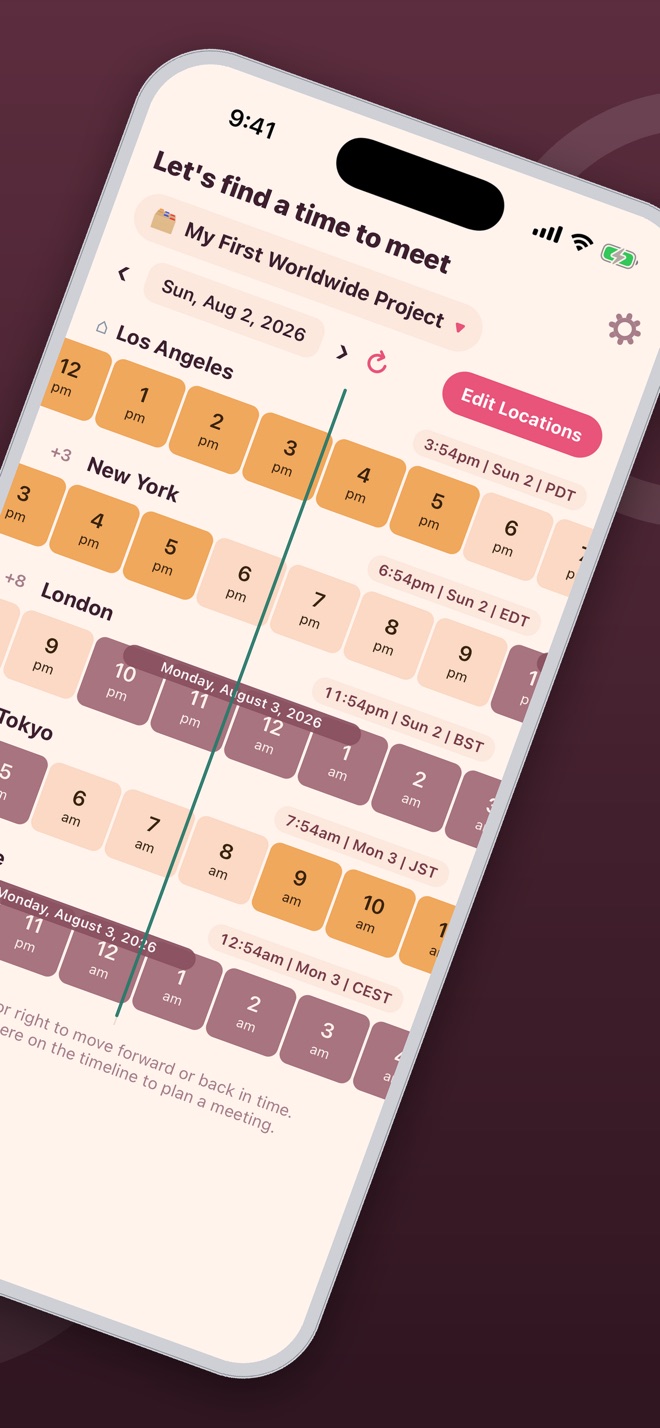
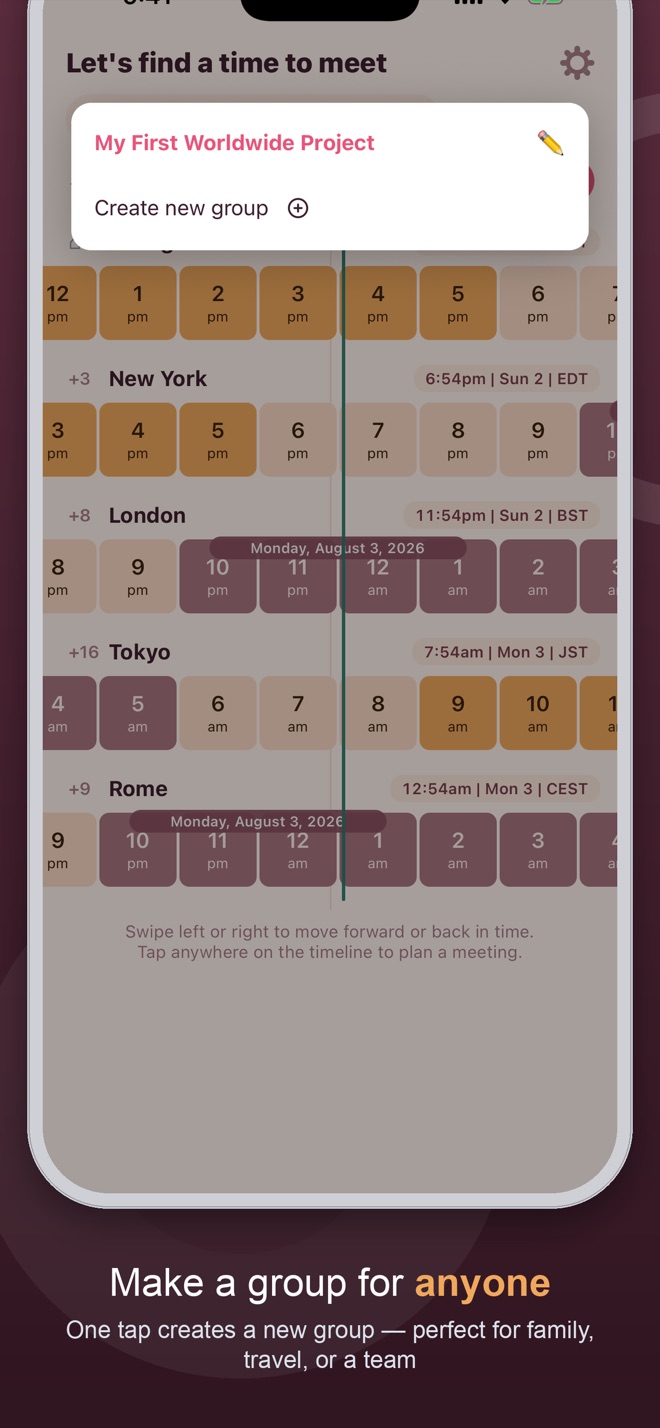
Swipe the colored hour strips left or right — every city's timeline moves together. Tap the refresh icon to jump back to the current time.
How do I plan a meeting?
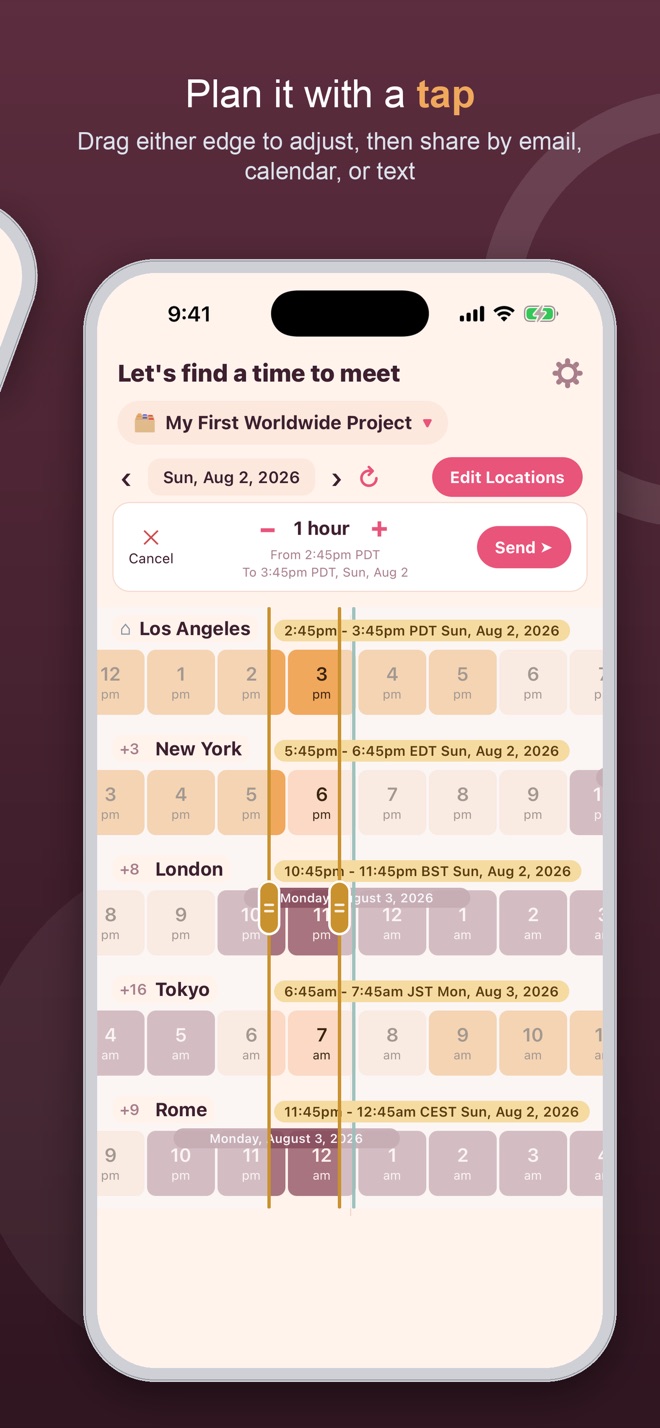
Tap anywhere on the timeline to create a meeting. Drag either boundary line to adjust the start or end time, then share it by email, add it to your calendar, or send it through the iOS share sheet.
How do I add or organize locations?
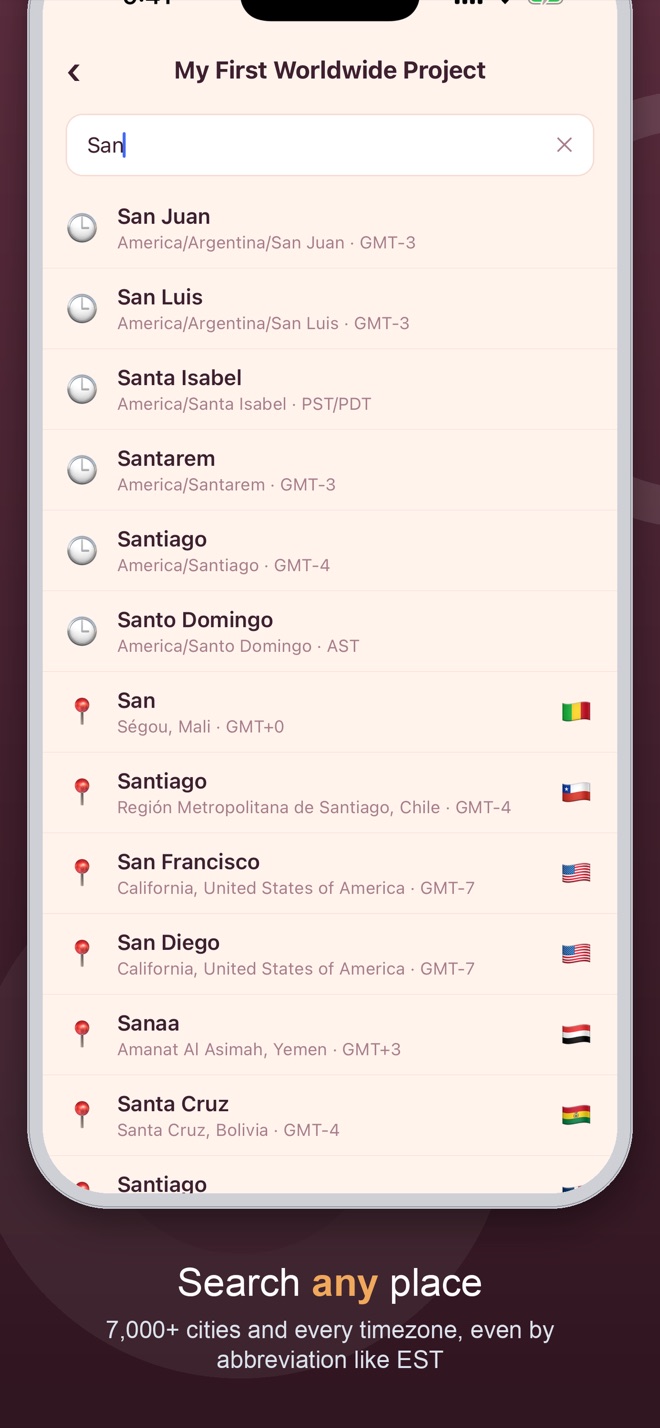
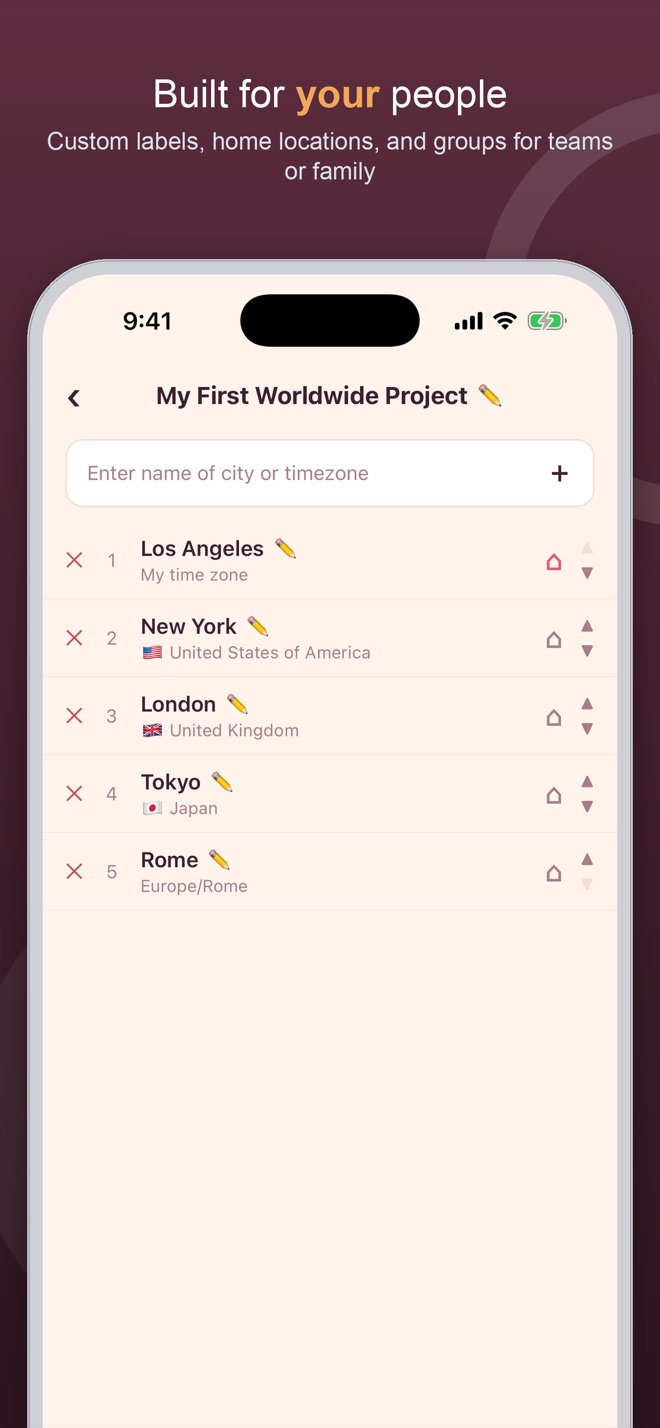
Tap Edit on a group to search any city or timezone, reorder locations, give one a custom label like "Sydney - Mary & Joe," or mark it as your home location.
What do the colors on the timeline mean?
Darker cells mark work hours (9am-6pm), lighter cells mark awake hours, and gray cells mark night. You can toggle each highlight independently in Settings.
Can I create separate groups, like for work and family?
Yes — create as many groups as you like (for example "My Locations" and "Team Blue"), each holding its own list of cities.
Does ZoneTime need calendar access?
Only if you tap "add to calendar" on a meeting — ZoneTime asks for calendar permission at that moment, and only to write the event you created.
Do I need an account to use ZoneTime?
No. There's no sign-up, no login and no profile — open the app and add your first city. Your cities and groups stay on your device.
Privacy Policy
Your privacy, simply explained
Last updated: August 25, 2026. This policy applies to the ZoneTime iOS application published by Mark Utility Labs.
🔒
Short version: ZoneTime stores your groups, locations and settings only on your iPhone, and none of it is ever sent off your device. What does leave the app is anonymous and technical: a crash report when the app crashes, and a count of how the unlock screen is used. No ads, no advertising identifiers, no tracking you across other apps or websites, and no sale of your data, ever.
1. What ZoneTime stores
ZoneTime saves the groups you create, the locations inside them, any custom labels you add, your chosen home city, and your app settings — time format, theme, default meeting length, and which highlights show on the timeline.
2. How it's stored
All of this is stored locally on your device using on-device storage (AsyncStorage). It never leaves your iPhone, and no account or sign-in is needed to use the app. Deleting a group or location removes it immediately; uninstalling the app removes everything.
3. Crash reports (Firebase Crashlytics)
ZoneTime uses Firebase Crashlytics, a service run by Google, to report crashes automatically so bugs get found and fixed. When the app crashes, a report goes to Google containing the device model, the iOS and app version, the technical details of the crash, and a random identifier Firebase generates for your installation of the app. That identifier is not your name, your email, or your Apple ID; delete and reinstall the app and it changes. A crash report never contains your groups, your locations, your labels or your settings.
4. Anonymous usage counts (Firebase Analytics)
When ZoneTime shows its unlock screen, it counts a short list of events through Firebase Analytics, also from Google: that the screen was shown (and which of its two asks it was), that the free week offered there was taken, which layout was shown, and that an unlock completed. It also counts that the one-time offer sheet (the one that shows the other apps) was shown and what was tapped on it, and that the app asked whether you were enjoying it, with which of the two buttons you chose. These events carry no personal content — none of your groups, your locations, your labels or your settings, no name, no contact details. ZoneTime never attaches your identity to them; Firebase records them against the same kind of per-install identifier described above. They exist so we can tell whether the unlock screen works, and for nothing else.
5. Unlocking ZoneTime
Apple handles the transaction itself. Mark Utility Labs never sees or stores your card details, billing address, or Apple ID password.
Your unlock is kept on your device, in the iOS Keychain. If you unlock the whole collection of Mark Utility Labs apps at once, that record is also kept in your own iCloud, using Apple's CloudKit, so it follows your Apple Account to a new device. It is stored in your private iCloud database, not somewhere we can browse. ZoneTime does not ask you to sign in to anything, and nothing about your purchase is sent to Google.
6. What is NOT collected
It's worth being explicit about the absences:
- Your groups, locations, labels and settings are never transmitted anywhere, for any reason.
- No advertising SDKs and no advertising identifiers (IDFA).
- No tracking of you across other companies' apps or websites, and nothing shared with data brokers.
- No name and no email address — ZoneTime never asks Apple for either, even when you sign in.
- No account, login, or profile is needed to use the app.
- No sale of personal data, ever.
7. Who processes your data
Google (Firebase) receives crash reports and the anonymous usage counts. Apple handles the transaction, and keeps the all-apps unlock record in your own private iCloud database. There are no other recipients.
8. Permissions
ZoneTime can request one system permission: Calendar, write-only. It's requested the moment you tap "add to calendar" on a meeting, solely so that event can be added to your calendar. ZoneTime never reads your existing calendar events.
9. Children's privacy
ZoneTime is not directed at children under 13 and does not knowingly collect personal information from children. It never asks anyone, of any age, for a name, an email address, or any other identifying detail.
10. Changes to this policy
If this policy changes, we'll update the "Last updated" date above. Continued use of ZoneTime after a change means you accept the updated policy.
11. Contact us
Questions about this policy or your privacy? Please contact us at:
Mark Utility Labs
Email: mark@vibecode.review
Terms of Use
The short, plain-English terms
Last updated: August 1, 2026. These terms cover the ZoneTime iOS application published by Mark Utility Labs.
✅
Short version: ZoneTime runs on your device, needs no account, and shows you no ads. Use it however you like; just double-check anything critical.
1. Using the app
ZoneTime is published by Mark Utility Labs for your personal use. It needs no account and no sign-up, it shows no advertisements, and your cities and groups stay on your device.
2. Purchases
Some features are unlocked by an in-app purchase. Any purchase is a one-time, non-consumable unlock — there is no subscription, nothing renews, and you are not charged again for what you have already unlocked. Purchases are processed by Apple through the App Store rather than by Mark Utility Labs, and refunds are handled by Apple under its standard App Store refund process at reportaproblem.apple.com.
3. Use your own judgment on important times
ZoneTime converts times using the standard IANA time zone database, including daylight-saving rules. Those rules change, and software can contain mistakes. For anything critical — flights, interviews, court dates, launches — please confirm the time against an authoritative source. Mark Utility Labs is not liable for missed meetings, travel, or other losses arising from use of the app.
4. No warranty
The app is provided "as is" and "as available", without warranties of any kind, express or implied, including fitness for a particular purpose.
5. Acceptable use
Please don't reverse engineer, resell, or pass the app off as your own. That's the whole list.
6. Changes to these terms
If these terms change, we'll update the "Last updated" date above. Continued use after a change means you accept the updated terms.
7. Contact us
Questions about these terms? Please contact us at:
Mark Utility Labs
Email: mark@vibecode.review
 World Clock · iPhone